

MyPension – Your online portal as a member
A secure and user-friendly portal allows you to access your information and a range of practical tools
Access to MyPension will be progressively rolled out from early October 2026 and throughout the month.
You will receive an activation email once access has been enabled for you.
First time logging in? Please use the activation link received by email to activate your personal account and do not hesitate to consult the first-time login guide to get help.

MyPensionl is currently available to active members only. Access for beneficiaries will be introduced at a later stage.
Access your documents and manage your requests online with ease
The CERN Pension Fund provides you with a secure online portal, designed to give you simple and autonomous access to your information and formalities at any time, and to facilitate your interactions with the Fund.
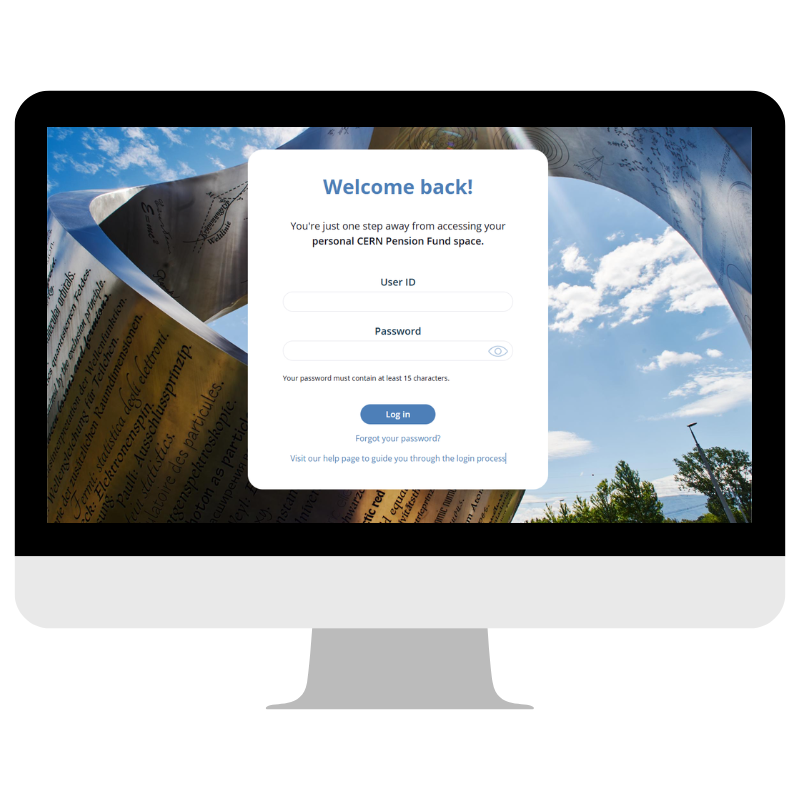
What can you do in MyPension?

View your personal information*
Access your official documents

Run simulations and submit online requests
Complete your end-of-contract formalities
*As a member, your data is provided by your Organisation and cannot be modified via MyPension.
How to access MyPension for the first time?
Your access to MyPension will be activated once you have received the activation email sent to your professional email address (@cern.ch or @eso.org).
This email will contain all the information you need to activate your personal account:
- A secure activation link
- Your User ID (this will be required each time you log in, please keep it safe)
👉 No action is required before receiving this email.
Access is being introduced progressively. If you have not yet received an email, your access will be activated shortly.
⚠️ Important: as a member, MyPension is linked to your organisation email address (@cern.ch or @eso.org), and cannot be changed.
All portal-related communications — including security verification codes for each login and account notifications — will be sent to this address.
Once you receive the email:
- Click on the activation link received by email
- Set your password
- Enter your User ID and your password
- Click on ‘Send’ to receive the security code
- Enter the security code sent to your email to confirm your login
- Log in to MyPension
Need help?
Several resources are available to support you:
- First-time login guide: a step-by-step PDF guide to help you activate your personal account
- Dedicated help page: answers to frequently asked questions about login, access and navigation
If you experience a technical issue related to login, access or navigation, you can contact us at: mypensionportal.support@cern.ch
A portal designed to support you
MyPension has been designed to support you throughout your journey, by providing simple, clear and secure access to your information.
MyPension will continue to evolve to better meet your needs and continuously improve your experience.